Win
Lead, opportunity and quotation.
Start with the enquiry and the next commercial decision.
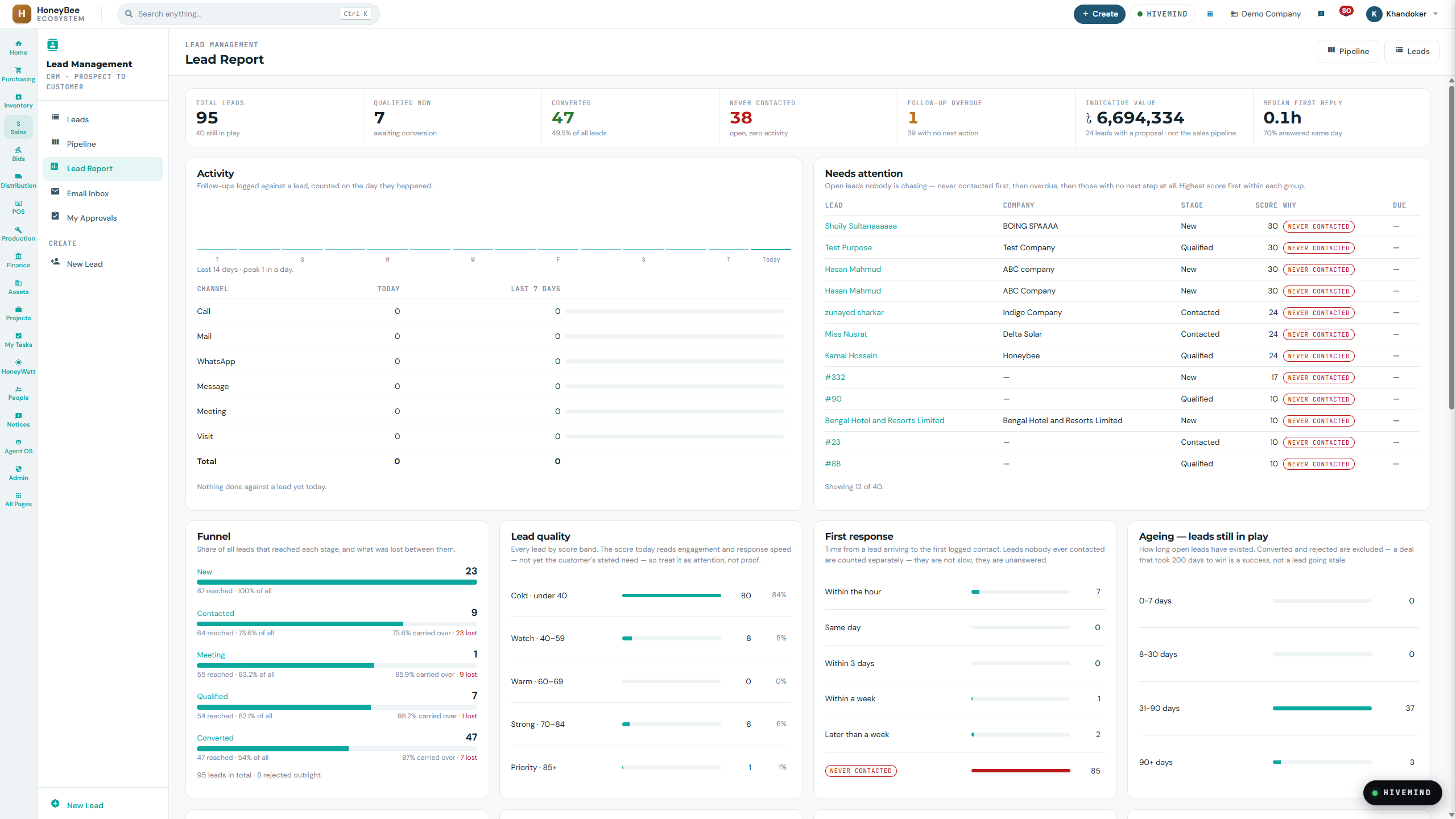
DEMO DATA ⓘ
Business Suite · sample lead report and follow-up view.
 HoneyBee
HoneyBee Business Suite connects customers, procurement, project delivery and finance for EPC, engineering and project-based companies.
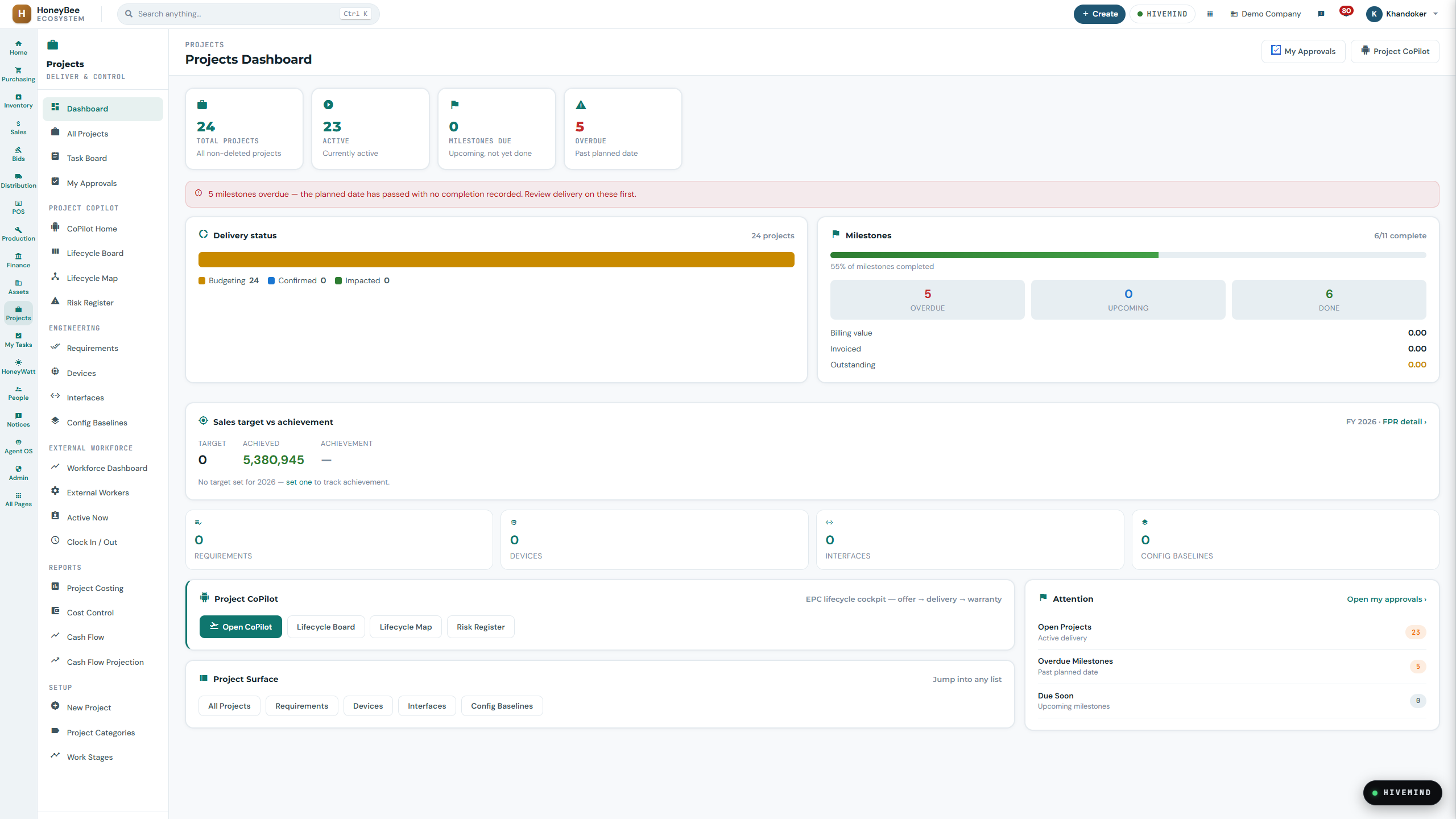
Business Suite · sample project dashboard. Figures illustrate the interface, not customer outcomes.
Lead, opportunity and quotation.
Start with the enquiry and the next commercial decision.
Business Suite · sample lead report and follow-up view.
RFQ, supplier comparison and purchase order.
Review purchasing in the wider project context.
Business Suite · sample project dashboard. Figures illustrate the interface, not customer outcomes.
Project, tasks and documentation.
Keep progress, responsibilities and project information together.
Business Suite · sample project dashboard. Figures illustrate the interface, not customer outcomes.
Budget, cost, progress and cash.
Read the project dashboard alongside the cost records.
Business Suite · sample project dashboard. Figures illustrate the interface, not customer outcomes.
Invoice and handover.
Review the handover from delivery to finance.
Business Suite · sample project dashboard. Figures illustrate the interface, not customer outcomes.
Service, warranty and O&M.
Carry the original project context into follow-up work.
Business Suite · sample project dashboard. Figures illustrate the interface, not customer outcomes.
Business Suite · sample lead report and follow-up view.
Start with the enquiry and the next commercial decision.
Business Suite · sample project dashboard. Figures illustrate the interface, not customer outcomes.
Review purchasing in the wider project context.
Business Suite · sample project dashboard. Figures illustrate the interface, not customer outcomes.
Keep progress, responsibilities and project information together.
Business Suite · sample project dashboard. Figures illustrate the interface, not customer outcomes.
Read the project dashboard alongside the cost records.
Business Suite · sample project dashboard. Figures illustrate the interface, not customer outcomes.
Review the handover from delivery to finance.
Business Suite · sample project dashboard. Figures illustrate the interface, not customer outcomes.
Carry the original project context into follow-up work.
Approved captures illustrate selected views. A walkthrough covers the detailed workflow.
Give commercial, procurement, project and finance teams a common operational thread.
Manage the enquiry, prepare the commercial scope and put decisions through review.
Work with RFQs, supplier comparisons, purchase orders and received materials in the context of the project.
Connect delivery responsibilities, project costs and financial records without losing the document trail.
Procurement and delivery may include BoQs, import documentation, letters of credit, shipment, customs and landed cost. Confirm the workflows included in your configuration during a walkthrough.
Keep commercial and delivery documentation attached to the work.
Carry the project context into commissioning and O&M records.
Selected employee and manager workflows on Android. Confirm the mobile tasks and access available for your organization.
Explore Nectar Beezness ↗Mobile complements the web workspace. Feature and entitlement review is required before release.
Module access and workflow availability depend on your deployed configuration. New financial documents retain the existing approval process.
Start with your operational requirement. Review a suggested scope before sharing contact details.
Review my workflow →Bring a workflow or project. Agree the scope before the rollout.