Define the points
Agree the signals, equipment interfaces and operating information that can be connected.
 HoneyBee
Bring building and facility operating information into the same operational environment as energy, maintenance and business workflows.
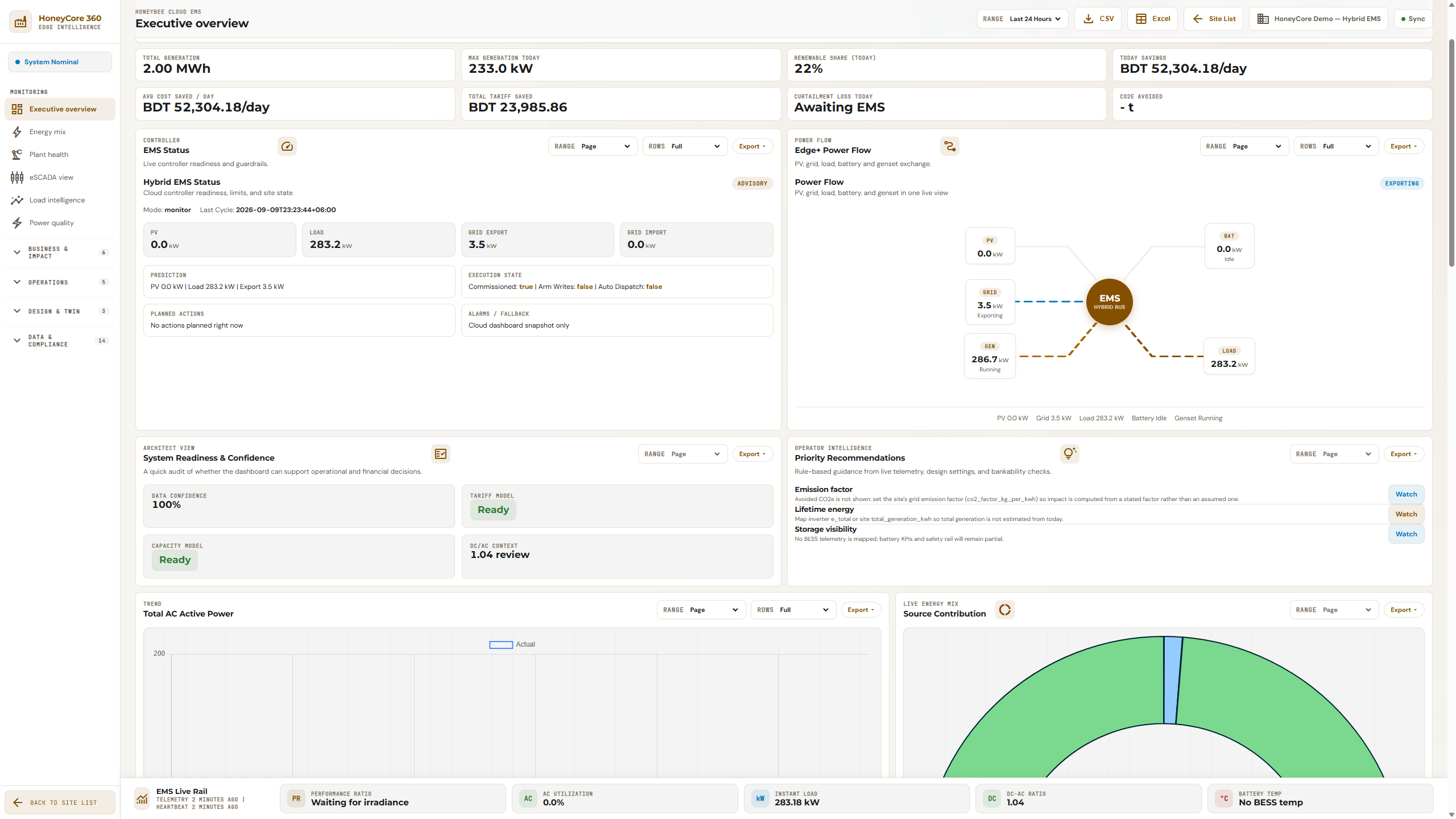
HoneyCore Cloud · demo monitoring snapshot. Displayed figures are example data, not verified customer savings.
Energy Operations monitoring interface. Application functions are deployment-specific.
For factories, commercial buildings, warehouses and campuses.
Agree the signals, equipment interfaces and operating information that can be connected.
Organize supported information around the systems and locations your team manages.
Review the relationship between operating information, maintenance responsibilities and business records.
Support for HVAC, lighting, fire systems, access control, pumps and other equipment must be verified for the actual integration. No universal equipment coverage is claimed.
Start with the product that fits the immediate need. Confirm data dependencies and integration scope during the walkthrough.
Bring an actual workflow or site requirement. The discussion should identify the supported scope, any configuration needed and the boundaries of the first deployment.
Start with your operational requirement. Review a suggested scope before sharing contact details.
Review my site →Bring your site context. Agree the scope before the rollout.