 HoneyBee
See the work.
Review the evidence.
Distinguish deployment results, engineering outputs, field observations and product demonstrations.
A reference should match your scope.
Ask which deployment evidence can be shared for your business workflow, engineering project or operating site. A useful review identifies what was deployed, the implementation boundary and the observed result.
We have not published verified customer deployment stories on this page. The product captures below are not published customer case studies and must not be treated as proof of customer outcomes.
Discuss the evidence for my requirement →Inspect the engineering output.
This supplied HoneyWatt single-line diagram shows a proposal-stage output with open review checks. It is an engineering example, not a claim about a completed customer installation.
Review the HoneyWatt workflow →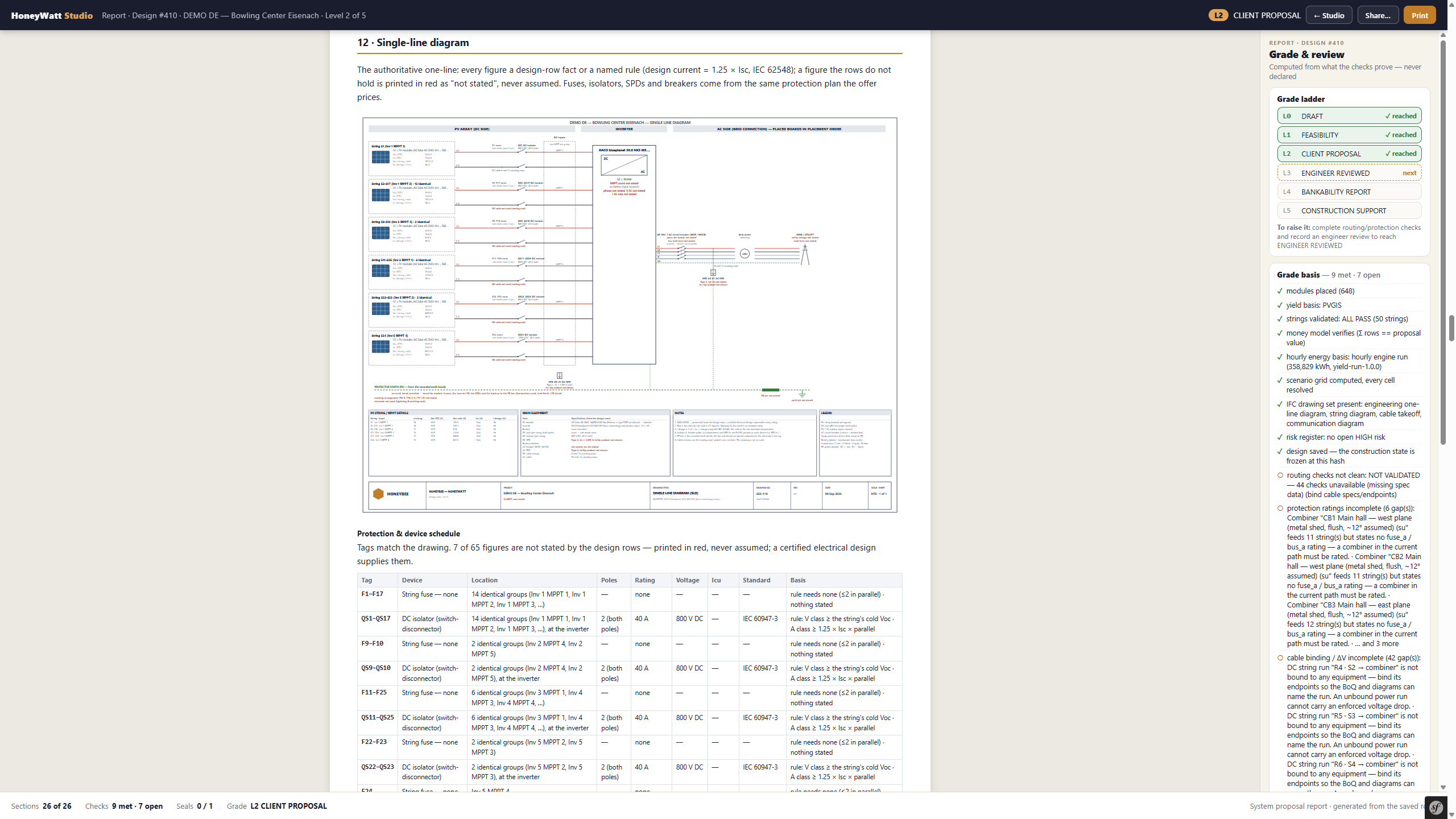
ENGINEERING REVIEW REQUIRED ⓘ
HoneyWatt · demo single-line diagram. Shown at client-proposal stage; qualified engineering review remains required.
See the operating context.
The supplied APV digital-twin capture places sensor information in a site view. It records an interface at a particular moment; it does not establish uptime, savings or a customer-approved result.
Explore the operating workflow →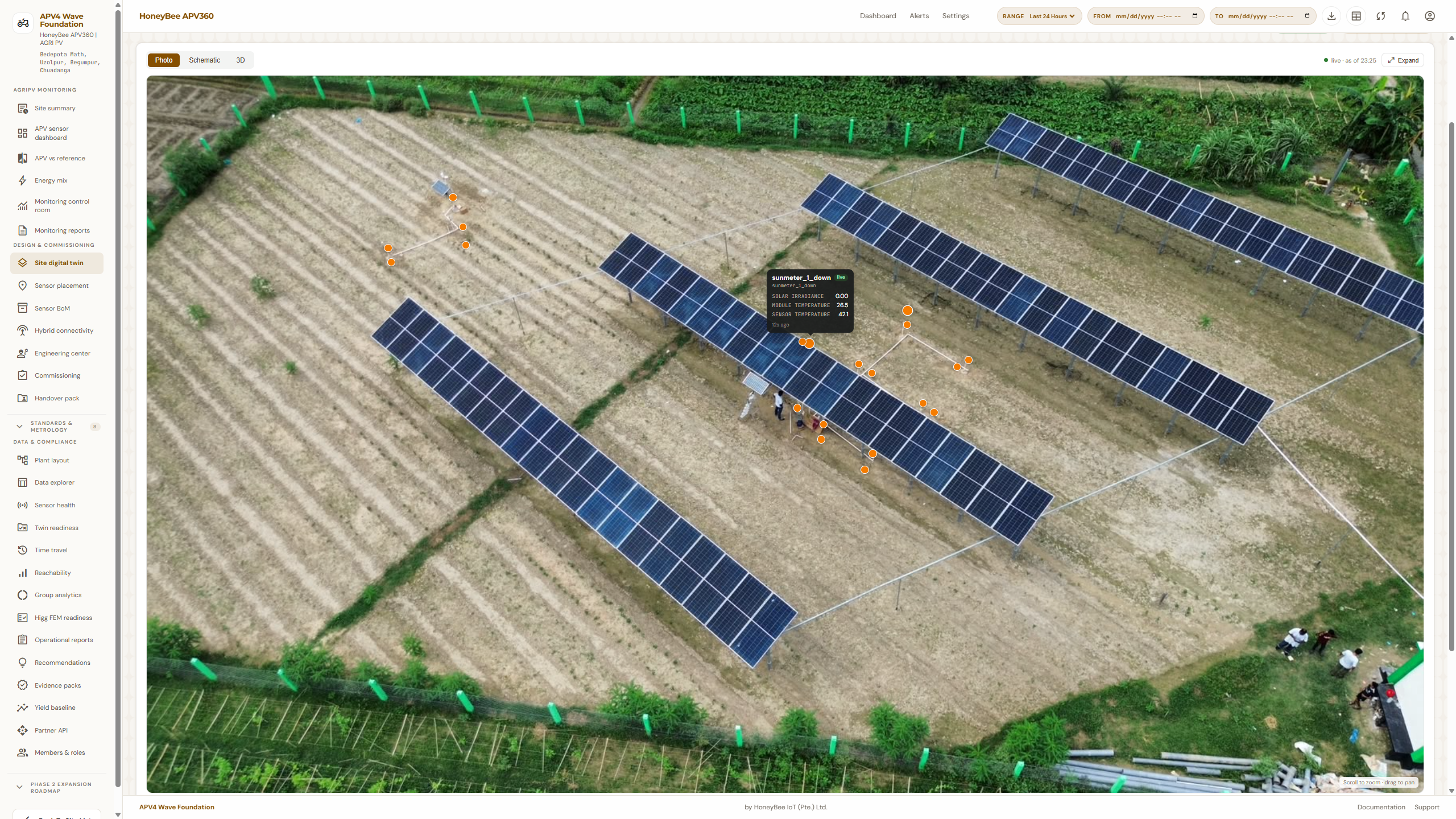
DEMO DATA ⓘ
HoneyBee APV · supplied site digital-twin capture. A static interface example, not a live feed.
Business & project management
Keep commercial decisions, procurement and delivery in one project context.
Workflow
Lead and quotation → RFQ and purchase order → project costs and invoicing.
What you can inspect
Project dashboard and commercial workflow screens.
Explore Business Suite →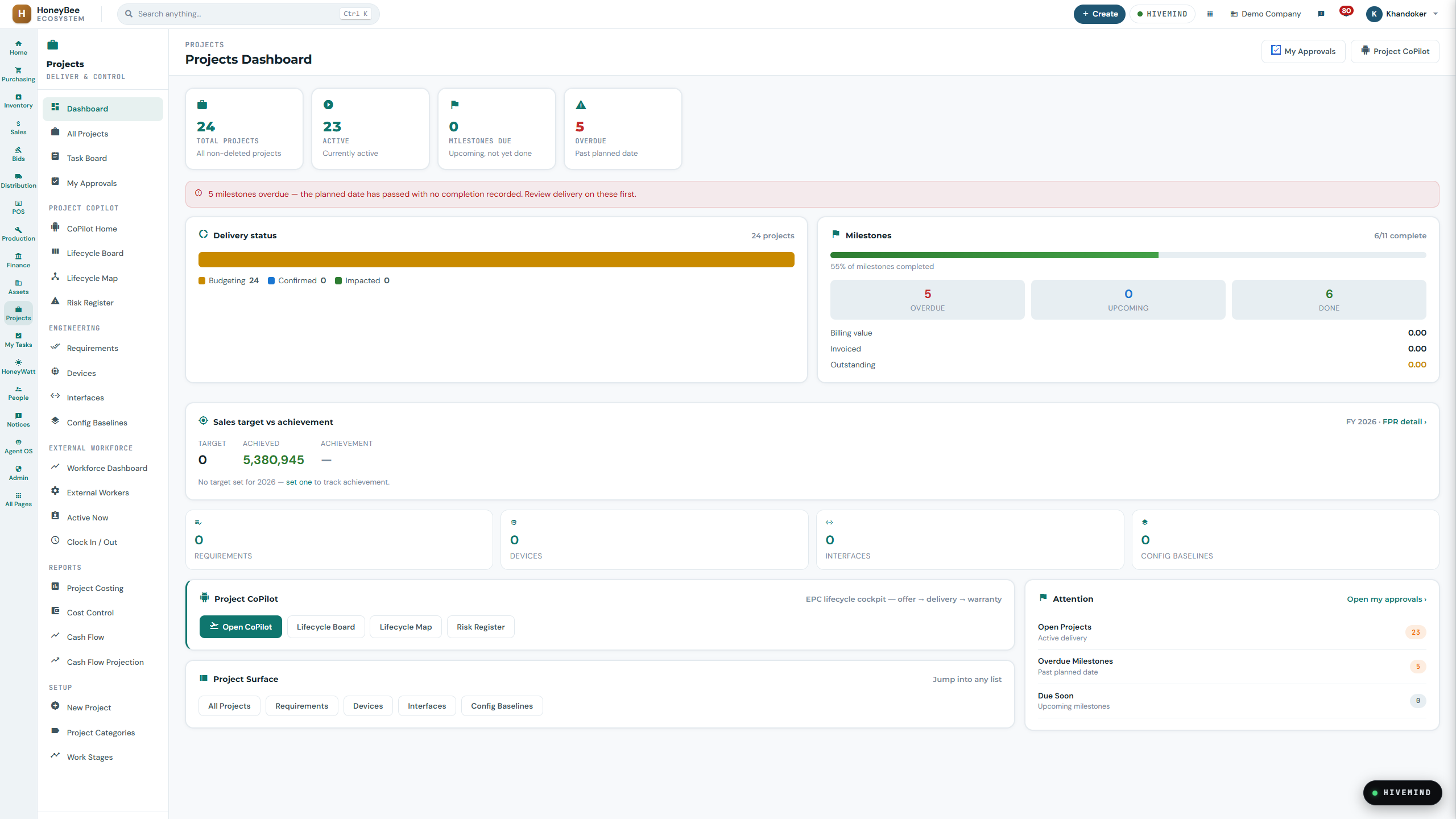
DEMO DATA ⓘ
Business Suite · sample project dashboard. Figures illustrate the interface, not customer outcomes.
Solar & storage engineering
Develop the energy system and inspect the assumptions behind the design.
Workflow
Site → layout → electrical → storage → simulation → economics → output.
What you can inspect
Layout, modelled yield and a proposal-stage single-line diagram.
Explore HoneyWatt →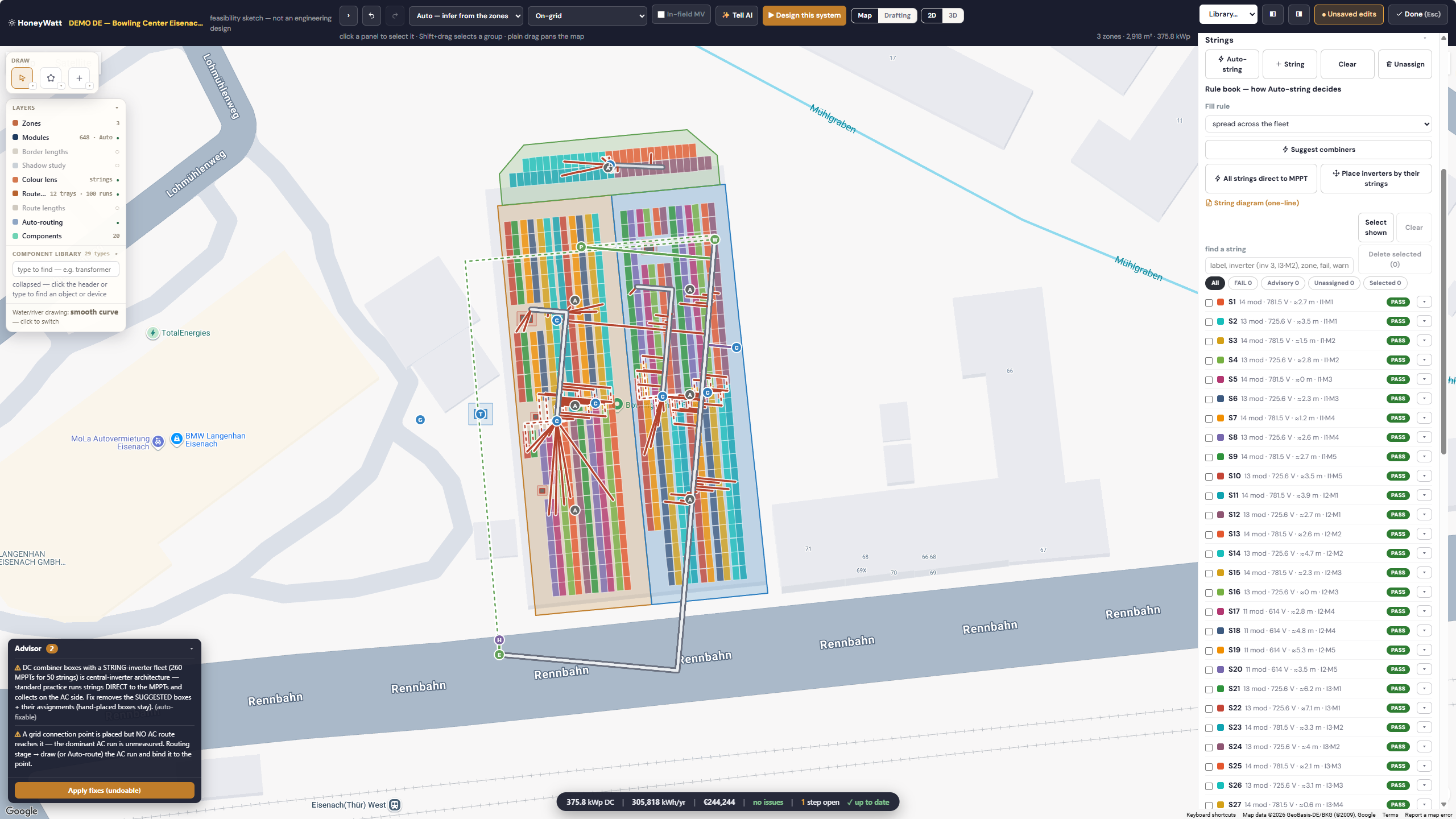
ENGINEERING REVIEW REQUIRED ⓘ
HoneyWatt · demo feasibility layout. Engineering review is required before release.
Energy management & control
Bring equipment information and operating conditions into a site view.
Workflow
Field equipment → HoneyCore Edge → cloud monitoring → operational follow-up.
What you can inspect
Monitoring, controller status and alarm-history interfaces.
Explore Energy Operations →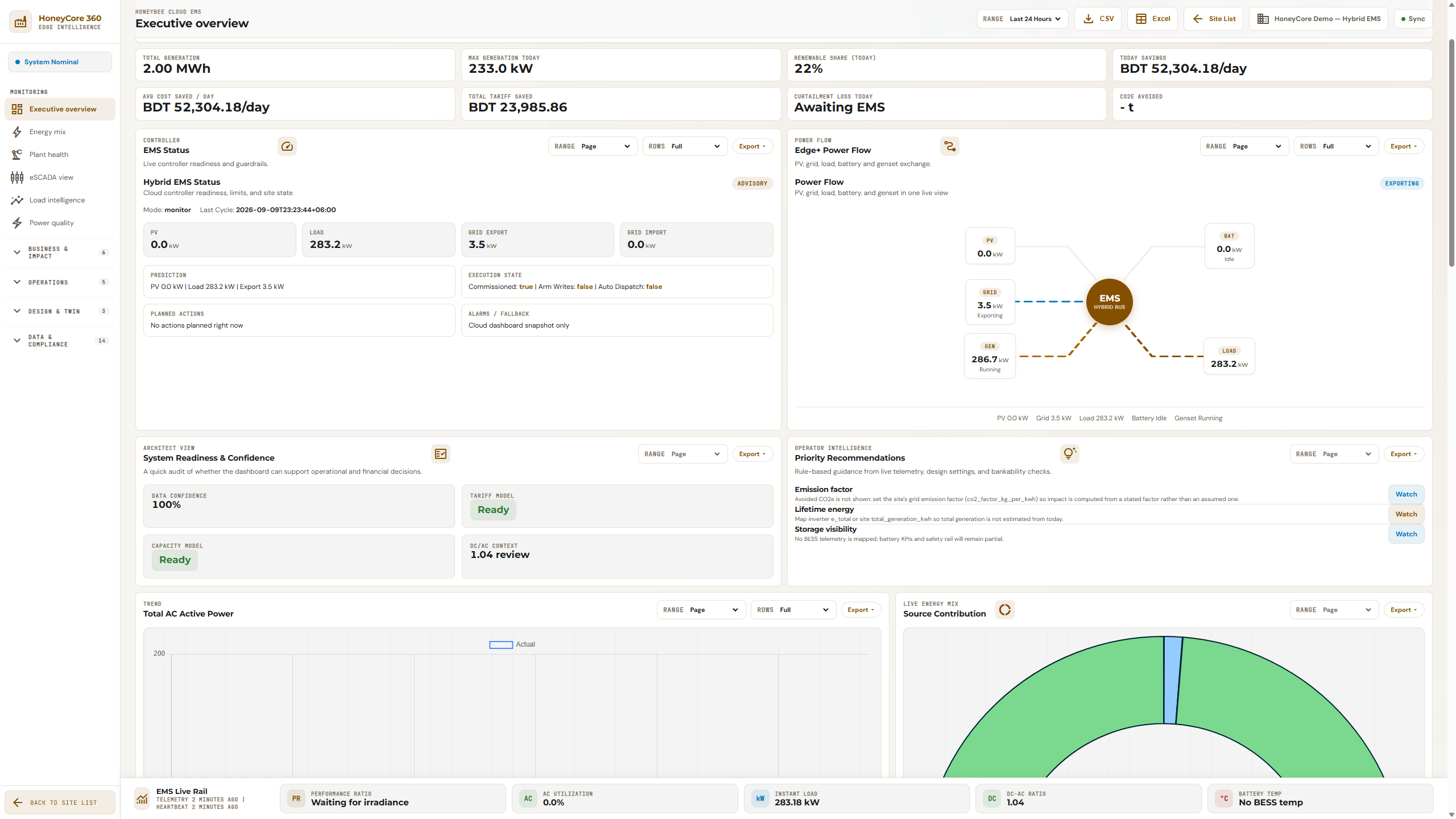
DEMO DATA ⓘ
HoneyCore Cloud · demo monitoring snapshot. Displayed figures are example data, not verified customer savings.
Bring us one workflow,
one project,
or one operating site.
We'll first understand it, then show where HoneyBee can help.